This is a project that I completed for the department that I work for at Baylor University to report graduating students and their what they are doing after graduating.
Using Microsoft Power BI, I designed a dashboard that reports Baylor University student’s first destination survey (FDS) results. FDS results show what a student plans on doing after graduating from Baylor. The data was collected using surveys that I created in Qualtrics that students are sent by career coaches in order to determine their post-graduation plans. Data was processed using Python scripts before importing for use into Power BI.
The three pages of the dashboard are explained below.
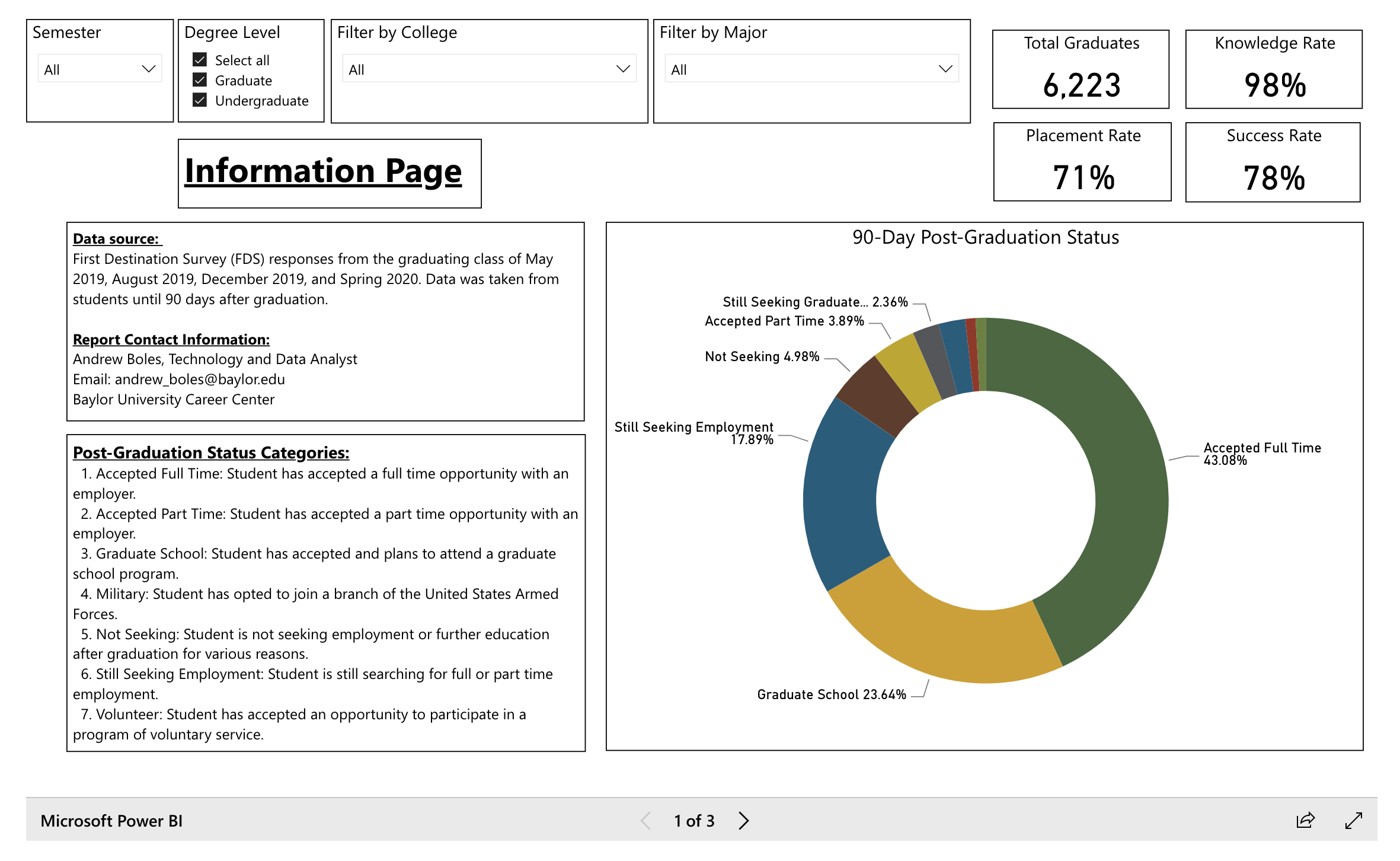
Information Page
The following are the key components of this page:
- As is often the case with public-facing dashboards, an information, or title, page is needed to explain the data being presented. That is the case with this page – all data definitions are described here as well as contact information in case users need to ask more specific questions on the data.
- Some basic filtering is given at the top of each page in the report so that users can drill down to specific: graduating semester, degree level, college and major.
- Overall statistics are given to describe the population, including a total number of graduates currently represented by the filters and percentages describing the knowledge rate of the survey, full time placement rate of the chosen population and the success rate of the chosen population.
- The final component of this page is a chart to demonstrate how the categories are distributed for the chosen population of students.
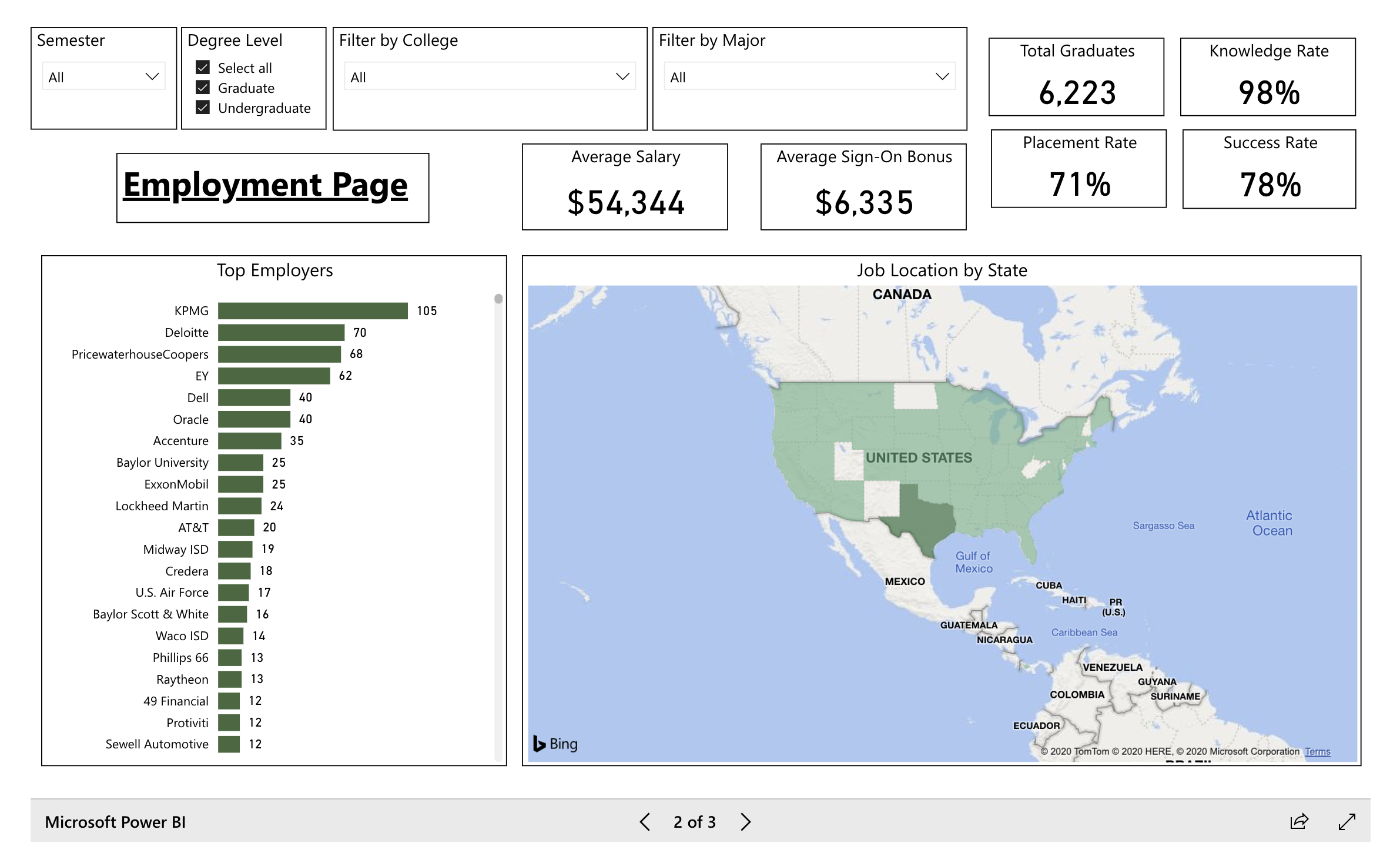
Employment Page
The following are the key components of this page:
- Similar to the Information Page, some basic filtering and overall statistics are given for the users at the top of the page. Note that if a user selects certain filters on one page, they will be reflected on all of the pages.
- A bar chart is given to show the top employers that are employing Baylor students.
- Additional information is given on the average salary and average sign-on bonus given to Baylor students upon graduation when they report having secured employment.
- The final component of this page is a map showing the job location by state for as reported by Baylor students.
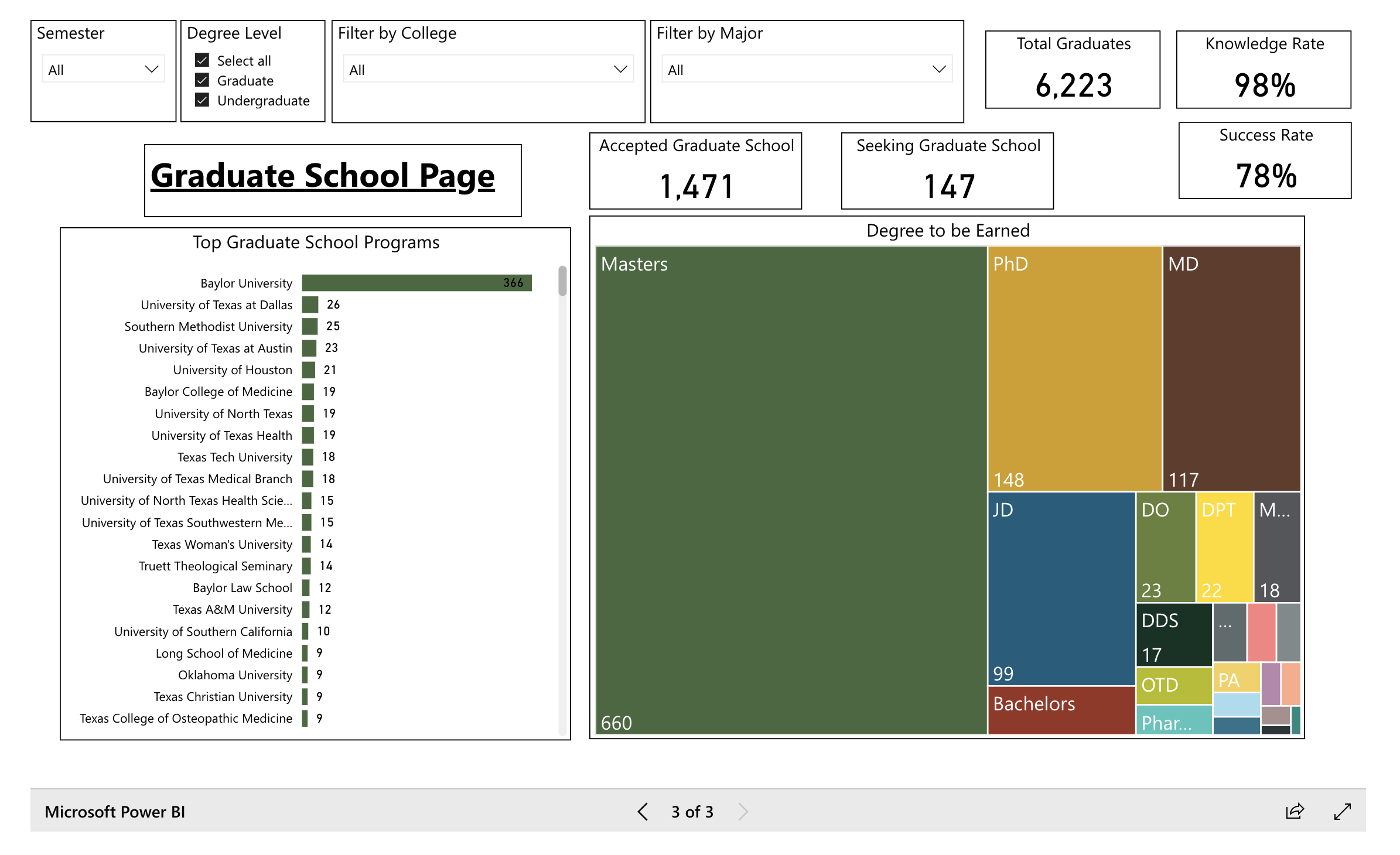
Graduate School Page
The following are the key components of this page:
- Similar to the Information Page, some basic filtering and overall statistics are given for the users at the top of the page.
- A bar chart is given to show the top universities where Baylor students have accepted and plan to attend their graduate school program.
- Additional information is given to show the number of Baylor students that have accepted graduate school and how many of those reported that they are still seeking acceptance into a program.
- The final component of the page is a chart showing what type of programs that Baylor students are going to be pursuing.
It should be noted that in order to make sure that sensitive student-level information is secured, row-level security is being employed on this dashboard.
 Boles Data Consulting